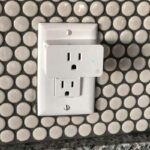
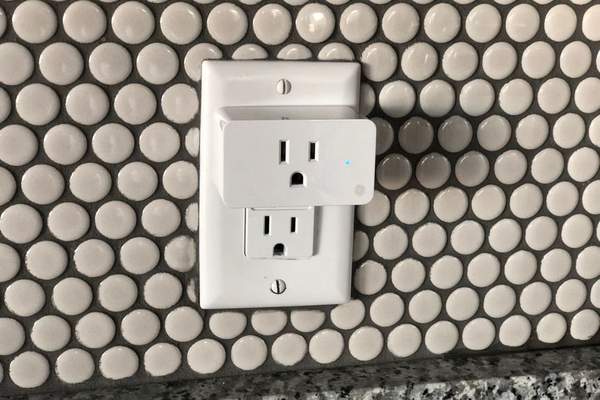
A smart plug makes an ordinary electrical outlet controllable from a phone, a schedule, or a compatible voice assistant. It can solve specific household annoyances: reaching behind furniture to switch off a lamp, forgetting seasonal lights, or wondering how much electricity a desk setup uses. The best smart plug uses start with devices that are safe to power on and off at the outlet, rather than gadgets that need their own buttons pressed.
First, check whether the device will actually respond
Try this test before buying several plugs: switch the appliance on, unplug it, then reconnect it. Does it resume operating without another button press? A lamp with a physical switch often does. A coffee machine with a digital start button may stay off. A smart plug only supplies or cuts electricity; it cannot press that button or change the appliance’s settings.
Check the plug’s voltage, current and wattage ratings, the appliance’s instructions, and whether motor startup current is permitted. Use a certified model designed for your country’s outlets. These checks matter more than the features advertised on the box.
Practical smart plug ideas for everyday rooms
Make a hard-to-reach lamp easier to use
A bedside lamp behind a dresser is an excellent first project. Leave its mechanical switch on, then use the plug’s app or a supported voice command to operate it. Schedule a living-room lamp for sunset if your platform offers that trigger. This adds convenience without replacing light bulbs or installing a wall switch.
Give seasonal decorations a predictable schedule
Holiday lights, decorative window lamps and other low-power displays are natural smart outlet uses. Set them to turn on in the early evening and off before bedtime. For patios or gardens, choose a smart plug rated for outdoor exposure and use a properly protected outdoor outlet. An indoor model is not made weatherproof by placing it under an awning.
Control a compatible desk or reading fan
A small fan with a mechanical speed dial may resume at its selected setting when power returns. If the manufacturer permits switching this motor load through a smart plug, you can create an evening timer or turn it off from bed. Verify startup-load compatibility first; some motors draw a brief surge greater than their normal running power. Keep the fan clear of fabric and obstructions.
Put chargers on a sensible timetable
A smart plug can disconnect a shared charging station after a chosen period. It does not make charging faster or prevent all battery wear. Modern chargers already manage charging, so electricity savings from cutting idle power may be small. Avoid using plug automation for essential devices that must remain available continuously.
Give entertainment equipment an actual off switch
A television, speakers or game console may draw standby electricity. An energy-monitoring smart plug can help establish whether yours does. Only cut power once equipment has shut down normally; interrupting a console update, recording device, or computer can cause problems. Some TVs need standby power for recordings or network features, so this idea will not suit every media cabinet.
Measure an appliance instead of guessing
Some smart plugs display real-time watts and accumulated energy consumption. Try monitoring a desk lamp for a week, then compare it with a decorative light left on for similar hours. The results reveal where changing a schedule could matter. Not every plug measures energy, and savings depend on actual usage, electricity prices and the device’s own standby consumption.
Make the coffee corner simpler without unsafe automation
For many coffee makers, the useful automation is an off schedule, not automatically brewing while nobody is watching. A digital machine may not restart after power is restored, and appliances that heat water need care. Follow its instructions and never use a smart plug instead of built-in safety controls. A low-power counter lamp is often a better candidate for a morning routine.
Build routines around real household habits
The strongest smart plug routines are tied to things you already do. An evening scene might switch on a reading lamp at 7 p.m. and off at 10:30 p.m. A departure routine could switch off approved decorative lighting while leaving your router, refrigerator and other essential equipment alone. Scenes, geofencing, sunrise triggers and voice commands depend on the plug and platform.
Start with one schedule and watch it run for several days. Confirm what happens after an internet outage or power cut: some models store schedules locally, while others need a hub or connection. If you want to coordinate several gadgets, smart home routines for beginners is a useful next topic to explore.
What should never go on an ordinary smart plug?
Do not automatically cycle space heaters, irons, hair-styling tools, electric blankets or other high-heat devices. A current rating alone does not make unattended operation safe. Avoid critical medical equipment, aquarium life-support systems and anything where loss of power could cause harm. Refrigerators, air conditioners and other major motor-driven loads may have startup demands beyond an ordinary plug’s supported load type.
Do not use a smart plug to solve an overloaded outlet, damaged cord or unsafe wiring. Connect plugs as the manufacturer directs, and do not stack adapters or power strips beyond approved limits. Where water may be present, follow local electrical requirements for outlet protection. For permanent control of fixed lighting, comparing smart plugs versus smart switches may point to a better solution.
Choose one that fits your home
Before buying, check outlet format, electrical rating, indoor or outdoor classification, wireless requirements and support for your preferred platform. Some models work with Matter, but features including energy reports can vary by app. A physical on/off button helps when a phone is unavailable. For a power-saving goal, prioritize energy measurement; understanding standby power consumption helps interpret the numbers.
Frequently asked questions
Can a smart plug make any appliance smart?
No. It can remotely control electrical power, but it cannot operate touchscreens, adjust thermostats or press electronic start buttons. Appliances must also be safe for this type of switching.
Do smart plugs work when Wi-Fi is down?
The manual button often still works, but app access and automations vary. Some models run stored schedules locally; cloud-dependent features may stop until the connection returns.
Do smart plugs save electricity?
They can reduce unnecessary running time or standby consumption, but savings are not guaranteed. An energy-monitoring model helps show whether a schedule makes a meaningful difference.
Is it safe to leave a smart plug on overnight?
That depends on the connected device, its condition and the manufacturer’s directions. Approved low-power lighting is more suitable than an unattended heating appliance.
Start small and make each automation earn its place
One well-chosen plug behind a lamp can be more useful than a dozen elaborate automations. Choose an appliance that behaves predictably after power is restored, confirm electrical compatibility, and set a routine that solves a real problem. Once that works reliably, expand to other safe, practical smart plug uses around the home.