
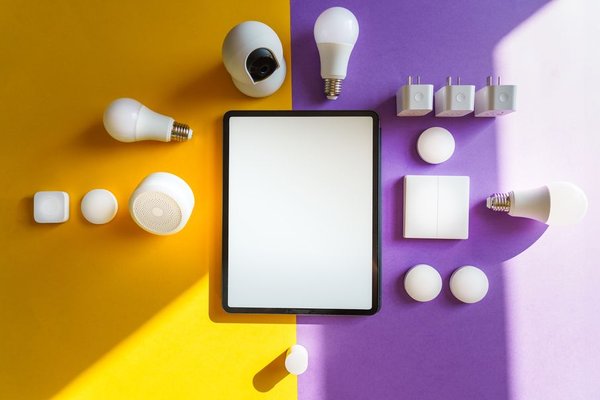
The easiest way to build a smart home is not to buy a box of gadgets. It is to decide what the home should do, then choose technology that lets those features work together. A useful setup might turn on hallway lights when someone arrives, adjust the thermostat on a schedule, and alert you to a water leak. It should also keep working when you change phones or add another room.
Start with daily routines, build a dependable network, and add devices in small groups. That beats a collection of unrelated apps.
Start With Problems, Not Products
Walk through a normal weekday and identify moments when a smart device would solve a real problem. Perhaps you return home after dark, leave lights on in empty rooms, or worry about a basement pipe leaking. Write down the desired result rather than a shopping list.
Sort ideas into essentials, conveniences, and experiments. A smart home planning checklist might cover lighting in shared spaces, temperature control, entry monitoring, and water-leak alerts. Leave decorative scenes and voice-controlled appliances for later. Visitors and children should still be able to use lights without finding a phone; ordinary wall controls are often more useful than elaborate app features.
Choose One Main Smart Home Ecosystem
Pick a primary platform before buying hardware from several brands. Apple Home, Google Home, Amazon Alexa, and Samsung SmartThings are common options in the United States. Compare them based on household phones, voice preferences, available devices, automation capabilities, and whether a compatible hub is needed.
One main smart home ecosystem provides a central place for room names, schedules, and household access. It does not mean every device must come from one manufacturer. Check the exact model’s compatibility, not just the brand logo. Some functions work in a manufacturer’s app but not in a third-party platform. Share access without sharing personal account passwords.
Make the Home Network Dependable
A reliable home automation setup begins with reliable networking. Check coverage where devices will actually sit: by the front door, in the garage, upstairs, and at the far end of the house. Strong Wi-Fi beside the router does not guarantee a camera will stay connected outside.
Place the router in a reasonably central, open location. Larger homes may benefit from wired access points or a carefully configured mesh Wi-Fi system. Ethernet can help stationary equipment, including some cameras and hubs. A guide to smart home Wi-Fi coverage can help find weak spots before installation.
Some connected products support only 2.4 GHz Wi-Fi, so check router compatibility. Keep firmware updated and use secure Wi-Fi encryption. If you separate smart devices onto another network, make sure controllers can still reach them.
Know the Difference Between Matter, Thread, and Hubs
Similar-sounding labels describe different jobs. Matter is an interoperability standard that helps compatible products work with supported smart home controllers. Look for certified products, then verify whether your platform supports the particular category and features you want. Matter compatibility does not guarantee that every brand-specific feature carries over.
Thread is a low-power wireless mesh network useful for sensors, locks, and other compact devices. It needs a compatible Thread border router to connect its mesh to your home network. That function may already exist in a supported smart speaker or hub. Not every Matter controller includes Thread border router capabilities.
Wi-Fi remains useful, especially for equipment needing more bandwidth. Zigbee and Z-Wave products typically rely on compatible hubs or bridges; some can join Matter systems through suitable bridges. A Matter and Thread comparison clarifies device labels.
Buy and Test Devices One Room at a Time
Start with one or two device types. Smart plugs can control suitable lamps and appliances; smart bulbs offer color and dimming options. Smart switches may be more convenient for regularly used ceiling lights, provided the fixtures and wiring are compatible. Use a qualified electrician for electrical work when appropriate.
For a first project, install a compatible hallway bulb or switch and name it “Hallway Ceiling.” Verify manual operation, app control, and behavior after a router restart. Only then add more lights. This test can expose compatibility or coverage problems before you repeat them around the house.
Before buying a thermostat, confirm HVAC type and wiring requirements. For locks and cameras, check battery backup, guest access, video storage, subscription terms, and privacy controls. Do not assume every advertised feature is included without a monthly fee.
Build Automations Around Real Routines
Once devices work individually, add one trigger-and-action routine. For example, a motion sensor near an entry can turn on a hallway light after sunset and turn it off several minutes after movement stops. Test that timing while carrying groceries: if the light goes dark while someone is unpacking, adjust it.
Use schedules for predictable events and sensors for less predictable ones. A bedtime routine might dim living-room lights and set a preferred thermostat temperature. A leak sensor should send a timely alert without relying on a complicated chain of optional routines.
Name automations clearly and avoid conflicting rules controlling the same device. Test what happens during a power outage or internet interruption. Some local controls may continue working while cloud routines or notifications stop. Practical smart lighting automations can provide inspiration without complexity.
Make Security and Manual Controls Part of the Plan
Smart cameras, microphones, locks, and sensors deserve deliberate privacy settings. Use unique passwords, enable multifactor authentication when available, and keep software updated. Change default router credentials and remove access for former household members.
Review camera placement and recording retention. Avoid capturing neighbors’ private spaces. Prefer devices with understandable privacy options and a reasonable history of security updates. For essential lighting, entry, and safety functions, keep a practical manual fallback.
Expand Slowly and Budget for the Whole System
Run the initial setup for a couple of weeks before adding more products. Fix weak coverage, unclear device names, and irritating routines first. Budget for controllers, bridges, installation, batteries, and subscriptions, not just the shelf price. Expand into another room when the first group works consistently.
Frequently Asked Questions
Can I build a smart home without replacing everything?
Yes. Add compatible plugs, bulbs, switches, and sensors where automation will help. Keep reliable existing appliances rather than replacing them just for connectivity.
Do I need a hub for a smart home?
Not always. Some Wi-Fi devices connect through an app. Others require a Matter controller, Thread border router, or dedicated bridge. Check each product’s setup requirements.
Will a smart home work without internet?
It depends on your equipment. Supported local controls may continue, while remote access, cloud routines, voice features, and notifications can fail. Test the functions you rely on.
What is the best first smart home purchase?
Choose a reliable control platform and one compatible light or smart plug. Confirm pairing, everyday operation, and a basic automation before investing in more expensive devices.
Build a Home That Stays Easy to Use
Learning how to build a smart home is mostly about making good decisions in the right order. Choose a platform, improve network coverage, confirm device compatibility, and automate routines that solve actual problems. When those basics stay dependable, expanding the system becomes a sensible upgrade rather than another technology project.