
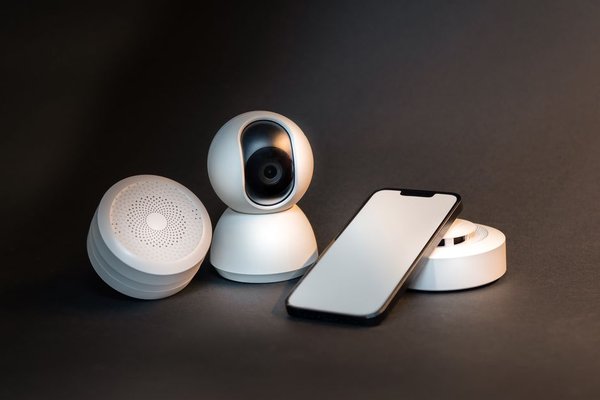
A smart home is a home where connected devices can be monitored, controlled, or automated. That might mean a porch light that turns on at sunset, a thermostat that follows your schedule, or a door sensor that alerts you when it opens. Even one useful connected device can be the beginning.
The simplest way to understand smart home technology is to separate three ideas: devices do something, connections let them communicate, and automations make certain actions happen without repeated instructions.
What Makes a Home Smart?
The smart home meaning is less about how many gadgets you own and more about what they can do together. A regular lamp needs someone to operate its switch. A connected bulb may respond to an app, a voice command, or a schedule. Add a compatible motion sensor, and it can illuminate a hallway when someone walks through.
Not every connected product is truly automated. Opening an app to turn on a light is remote control. Setting that light to turn on when a door opens is automation. Both can be useful, but knowing the difference helps you choose features that solve everyday problems.
How Smart Home Devices Communicate
Wi-Fi, Bluetooth, and the Home Network
Many cameras, plugs, and appliances connect directly to your home’s Wi-Fi router. They may use an app and an internet service for remote access. Bluetooth is common during initial device setup and for certain nearby connections. Some devices continue working locally during an internet outage, while others lose app or automation features.
Thread, Zigbee, and Smart Hubs
Other devices use low-power wireless networks such as Thread or Zigbee, often useful for sensors and bulbs. These may require a compatible hub or, for Thread, a border router to connect the Thread network with your home network. A smart hub or controller can coordinate devices and routines.
Matter is a smart home interoperability standard, not a separate wireless network. Supported Matter products communicate over technologies such as Wi-Fi, Ethernet, and Thread; Bluetooth Low Energy commonly assists with setup. The Matter label can simplify shopping across brands, but verify that your platform supports the device type and features you want.
The Everyday Systems Behind a Connected Home
Lighting and Power
Smart bulbs, switches, and plugs offer approachable connected home basics. A plug can schedule a conventional table lamp, while a smart switch can control built-in lighting. Check load ratings before using a plug, and avoid replacing hardwired switches unless you are qualified or hire a licensed electrician.
Comfort and Energy
Smart thermostats can adjust heating and cooling according to schedules, occupancy, or supported location features. ENERGY STAR-certified models demonstrate energy savings using field data, but your results depend on climate, HVAC equipment, and behavior. Check system compatibility, including wiring requirements, before purchasing.
Security and Awareness
Door sensors, video doorbells, cameras, and smart locks can provide notifications and convenient access controls. They do not replace sound door hardware, appropriate smoke and carbon monoxide alarms, or an emergency plan. Pay attention to video storage, notification settings, and whether a feature requires a subscription.
Voice Control and Scenes
A smart speaker or display can act as a controller for compatible products, but it is optional. A scene groups several actions under one command: for example, dim the living room lights and switch on a reading lamp. An automation goes further by responding to an event, time, or condition.
What Home Automation Looks Like on a Normal Tuesday
Imagine arriving at a suburban home after work. A contact sensor detects that the front door has opened after sunset. A compatible automation turns on the entry light at a comfortable brightness. Fifteen minutes later, the light switches off if no motion is detected. Nobody needs to reach for a phone.
That small routine explains home automation basics better than an expensive showroom. It has a trigger (the door opens), a condition (it is after sunset), and an action (the light turns on). You can add safeguards, such as limiting the routine to evening hours so an open door does not switch lights on unnecessarily in daylight.
Before buying anything, test the idea on paper: What event should start it? What should happen? What if your internet is down? Those questions reveal whether a proposed setup will actually save effort.
How to Start Without Buying Too Much
Start with one recurring annoyance, not a shopping list. A dark hallway suggests a light and motion sensor; a forgotten lamp suggests a smart plug; an inconsistent heating schedule suggests investigating a compatible thermostat. Choose the problem first, then compare devices that address it.
Next, decide which control platform your household wants to use. Check compatibility on both the manufacturer’s product page and the platform’s supported-device information. If a hub or Thread border router is required, include it in your budget. Our guide to choosing a smart home hub can help clarify when extra hardware is worthwhile.
Set up one device, learn its controls, then try a single routine. Leave ordinary wall controls accessible for family members and guests. For more setup ideas, explore our introduction to smart lighting and our guide to simple smart home routines.
Privacy, Security, and Reliability Come First
Connected devices are also computers, so smart house technology deserves basic digital housekeeping. Use unique account passwords, enable multifactor authentication where available, install firmware updates, and review microphone, camera, and data-sharing settings. The National Institute of Standards and Technology also recommends considering a separate network for connected devices.
Look for brands that explain their update support, offline operation, and subscription terms. A low-cost device can become inconvenient if its service changes or stops receiving security fixes. A Wi-Fi outage may affect remote commands, while some locally configured routines can continue working.
Smart homes work best when technology remains optional rather than becoming another chore. A physical switch that still works, alerts that are not constantly noisy, and routines everyone understands often matter more than adding another device.
Frequently Asked Questions
Does a smart home need Wi-Fi?
Not every device uses Wi-Fi directly. Some use Thread or Zigbee with appropriate supporting equipment. However, a home network is usually needed to connect systems, and internet access is commonly required for remote control or cloud features.
Is a smart home expensive to set up?
It does not have to be. One compatible bulb or plug can introduce connected controls at modest cost. Complex setups with locks, cameras, hubs, or multiple sensors cost more and may include subscriptions.
Can smart devices from different brands work together?
Often, yes, through a shared platform or standards such as Matter. Compatibility is not universal, and some advanced features remain tied to a brand’s app. Verify the exact model before purchase.
Do smart homes save electricity?
They can reduce waste when schedules and controls change actual usage. A smart label alone does not guarantee savings. For heating and cooling, consider ENERGY STAR-certified thermostats and realistic schedules.
Conclusion
A smart home is not a collection to complete. It is a set of useful connections that make ordinary routines easier. Begin with one clear problem, choose compatible equipment, protect your accounts, and expand only when the first automation proves its value.